Hanover Insurance CMS
2026
Built in a team of 10 for CS3733 at WPI, this content management system was delivered to Hanover Insurance with a React frontend, Node/Express backend, and Supabase for data storage.
Overview
Over the course of a single term (7 weeks), we worked with provided requirments and used SCRUM methodoy to develop this full stack application and the present during a formal demo attended by Hanover employees.
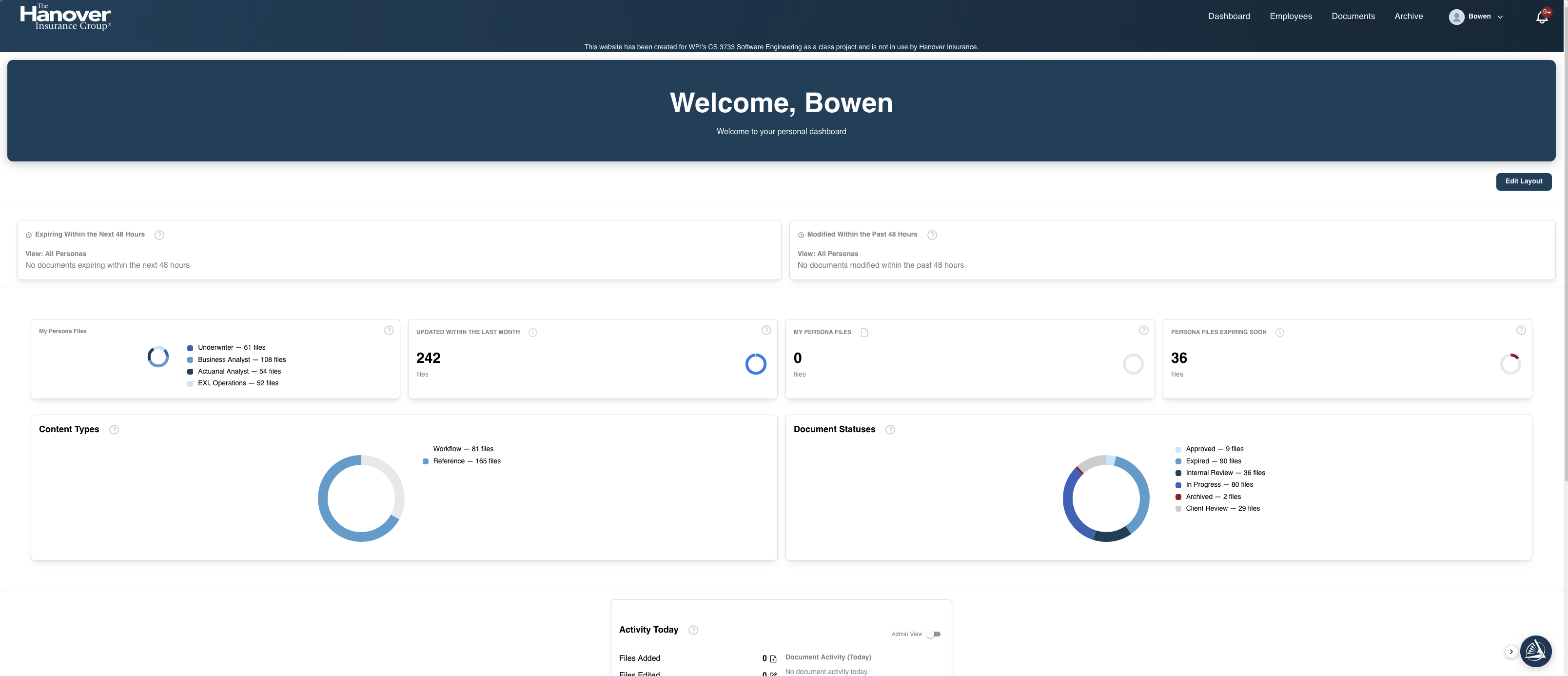
Dashboard
The dashboard gives editors and admins an at a glance view of system activity recent uploads, pending reviews, and document counts by category so the state of the content library is always visible from a single screen.
Content Management
The content page gives editors a structured view of all documents in the system. Items can be filtered by category, sorted by date or author, and opened for inline editing. Check-out locking prevents two users from editing the same document simultaneously.
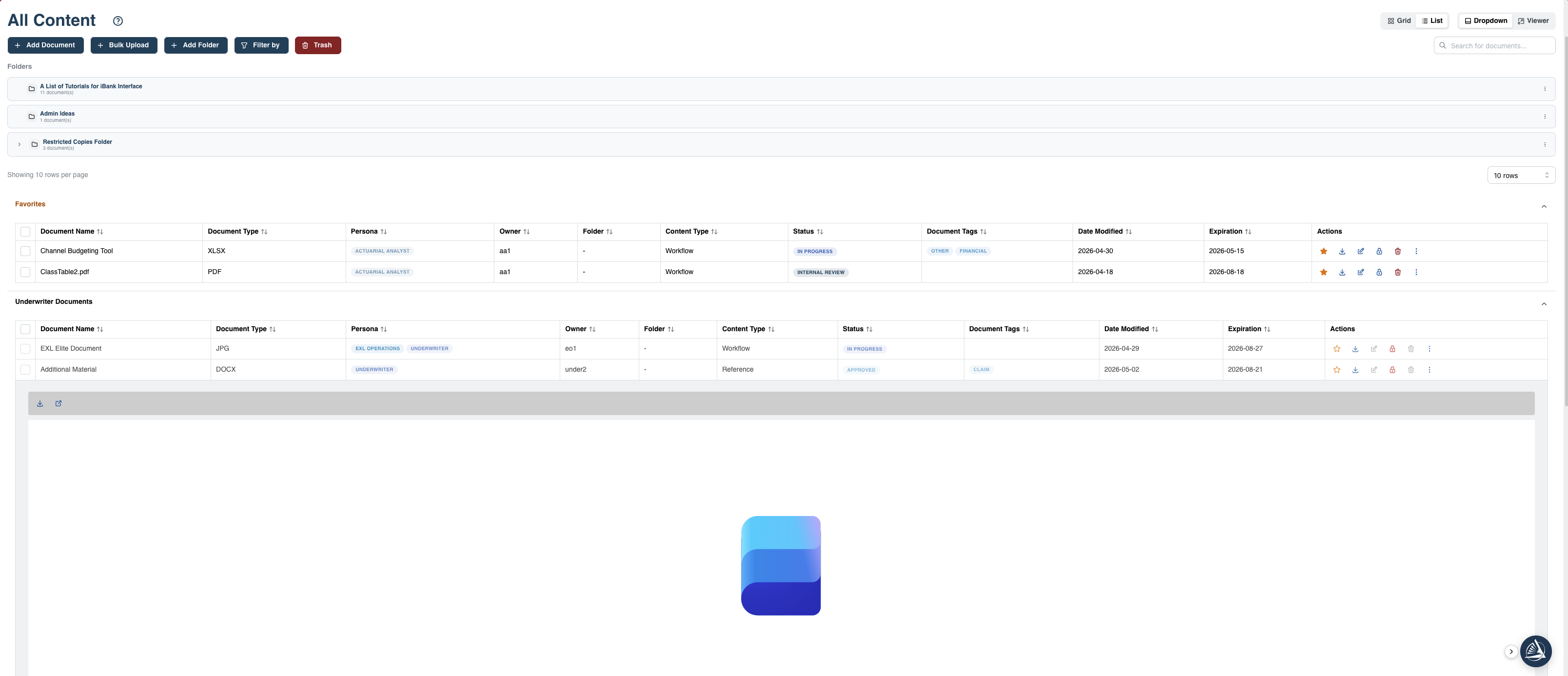
Content page browse, filter, and manage documents
Document Selection
A modal-based document selector lets users attach, link, or reassign files across records without leaving the current context.
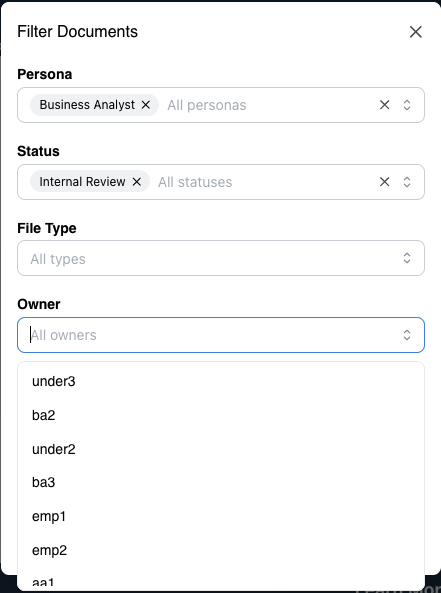
Document selection — attach and link files
Bulk Upload
For high volume ingestion, the bulk upload tool accepts multiple files simultaneously. Progress is surfaced in real time and individual failures are flagged without blocking the rest of the batch.
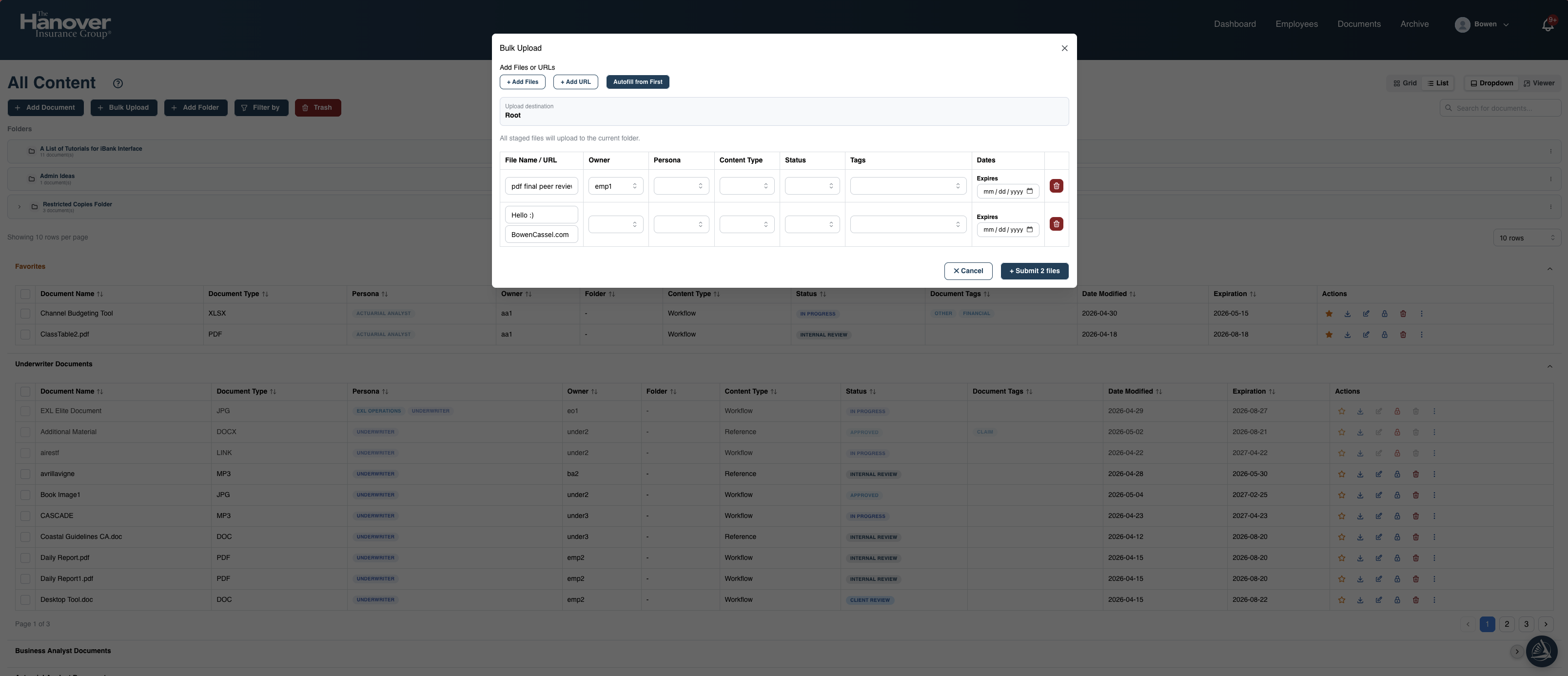
Bulk upload multi file ingestion
Employee Management
Administrators can view, create, and update employee records directly within the CMS. Each record tracks role assignments and document permissions, keeping access control in sync with HR data.
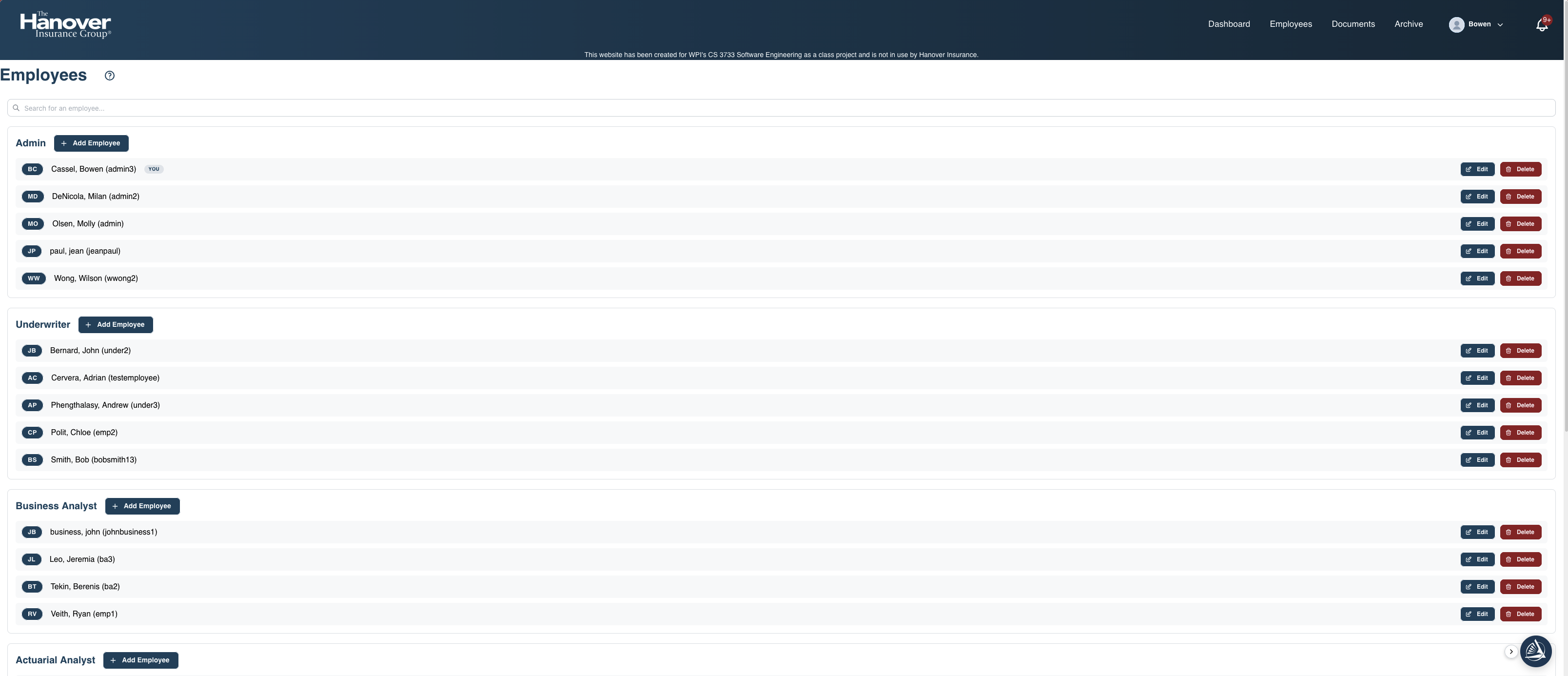
Employee page records and permissions
AI Assistant
An integrated AI assistant allows users to query the document library in plain language, surface relevant files, and summarize content on demand reducing time spent searching and reformatting information.
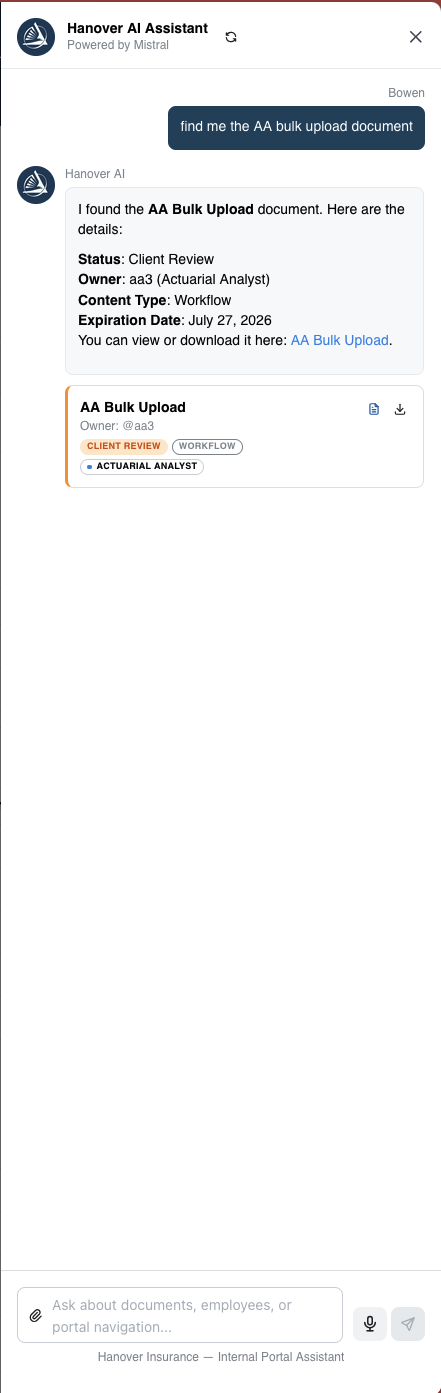
AI assistant natural language document search
Hanover CMS User Guide
Download User Guide